
Understand the decision
Useful differences may include actual coverage, logistics, relevant local project experience or service constraints. Every location claim must be accurate.
Identify what a customer in that area needs to know that the general service page does not explain. Confirm the business can serve the area before writing.
A practical workflow
Work through the sequence below. Keep the evidence, the change you make and the acceptance check together so the next person can understand the decision.
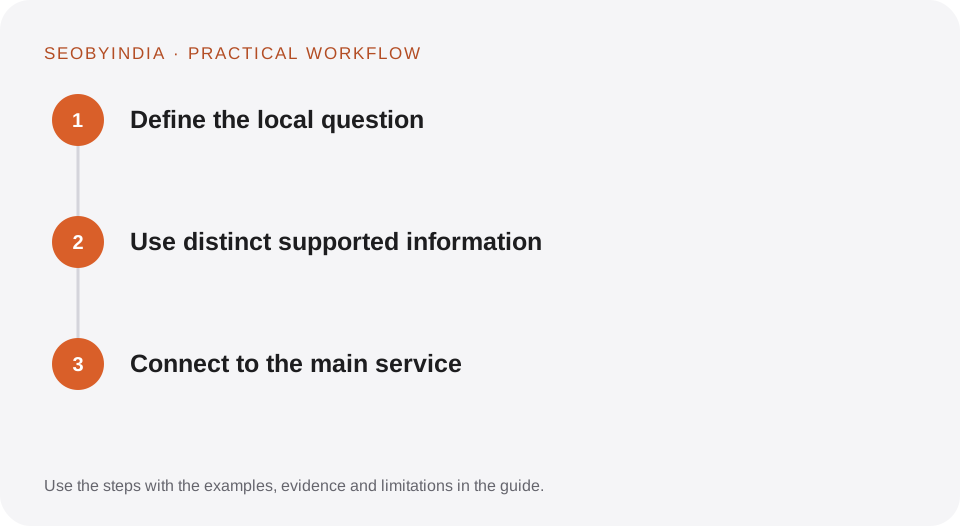
Define the local question
Identify what a customer in that area needs to know that the general service page does not explain. Confirm the business can serve the area before writing.
Use distinct supported information
Describe actual service coverage, relevant examples and practical constraints. Include local terminology when appropriate. Avoid invented case studies or images implying a local office.
Connect to the main service
Link to the full service scope and a useful enquiry route. Keep location navigation manageable and consolidate pages that do not have enough distinct value.
Illustrative scenario
What this looks like in practice
A contractor creates one regional page explaining real travel boundaries and the types of jobs available there. It does not produce dozens of identical suburb pages that all redirect to the same form.
This is a worked example, not a claim about a client campaign or a promised result.
Before you sign it off
Do not generate an area page simply because a keyword tool lists a suburb. Do not use a fake address to support the page.
Keep a useful decision record
- Purpose
- Write the customer task this change is meant to improve.
- Evidence
- Save the relevant page, source or observation and its date.
- Owner
- Identify who implements the change and who verifies it.
- Acceptance
- State what a correct result looks like before measuring its wider effect.
What to measure
Track locally suitable enquiries, unique page usefulness and overlap with neighbouring service pages.
Record the baseline and the observation window. If the measurement setup changes, annotate the report before comparing periods. Use the findings to choose the next useful improvement, rather than treating one encouraging result as proof of a permanent outcome.
Sources and further reading
These primary references provide platform guidance and context. The workflows and scenarios on this page are editorial explanations; a source link does not turn an example into a measured result.
Need help applying this?
Start with your website, target audience and the problem you want to solve. We can agree on the useful work, implementation responsibilities and reporting.
Explore the relevant serviceDiscuss the scope