
Understand the decision
The cause may be an outdated public profile, an ambiguous business description or an answer without live retrieval. Keep those possibilities separate before changing the website.
Save the question, date, product mode and the inaccurate statement. If sources are shown, inspect the cited destinations. Distinguish a wrong fact from an opinion or an absent recommendation.
A practical workflow
Work through the sequence below. Keep the evidence, the change you make and the acceptance check together so the next person can understand the decision.
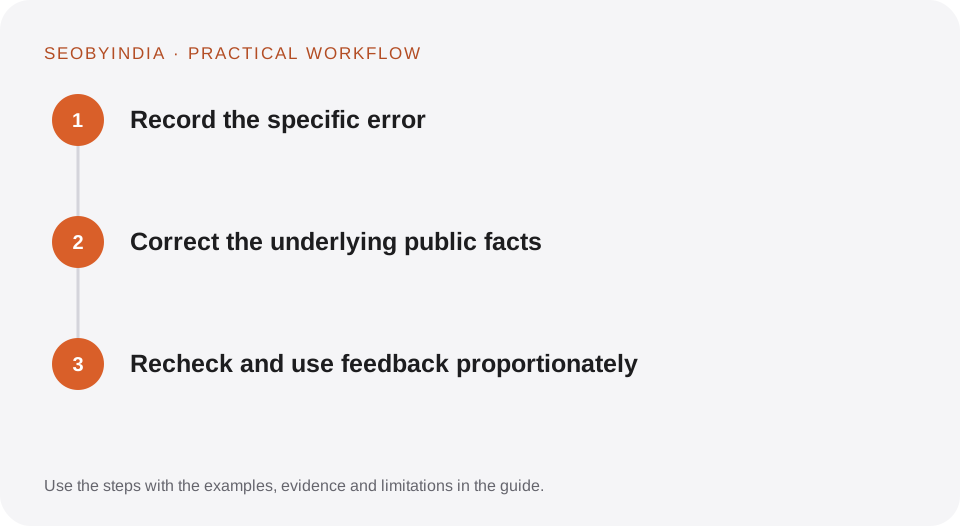
Record the specific error
Save the question, date, product mode and the inaccurate statement. If sources are shown, inspect the cited destinations. Distinguish a wrong fact from an opinion or an absent recommendation.
Correct the underlying public facts
Update the relevant business page and authorised profiles using verified information. Resolve conflicting office, service and contact claims. Keep the correction clear rather than repeating the false claim across multiple new pages.
Recheck and use feedback proportionately
Use the product’s normal feedback mechanism when suitable. Repeat a small observation set later and record whether the information changed. Explain that different sessions can still produce different answers.
Illustrative scenario
What this looks like in practice
An answer incorrectly describes a remote specialist as having a London office. The business corrects an outdated profile and clarifies its operating base and international service model on its own site, without creating a fictional local-office page.
This is a worked example, not a claim about a client campaign or a promised result.
Before you sign it off
Do not claim an agency can overwrite the internal knowledge of every AI system. Do not manufacture third-party mentions to drown out an error or submit misleading information as a correction.
Keep a useful decision record
- Purpose
- Write the customer task this change is meant to improve.
- Evidence
- Save the relevant page, source or observation and its date.
- Owner
- Identify who implements the change and who verifies it.
- Acceptance
- State what a correct result looks like before measuring its wider effect.
What to measure
Track the accuracy of the specific claims, source corrections completed and dated repeat observations. Keep correction work separate from recommendation visibility.
Record the baseline and the observation window. If the measurement setup changes, annotate the report before comparing periods. Use the findings to choose the next useful improvement, rather than treating one encouraging result as proof of a permanent outcome.
Sources and further reading
These primary references provide platform guidance and context. The workflows and scenarios on this page are editorial explanations; a source link does not turn an example into a measured result.
Need help applying this?
Start with your website, target audience and the problem you want to solve. We can agree on the useful work, implementation responsibilities and reporting.
Explore the relevant serviceDiscuss the scope