
Understand the decision
An increase in impressions can reflect broader visibility without an equal increase in qualified demand. A position average is not a fixed ranking for every person.
Select a relevant page group, audience context and equivalent date windows. Note seasonality and major site changes. Keep brand and non-brand questions distinct when that helps interpretation.
A practical workflow
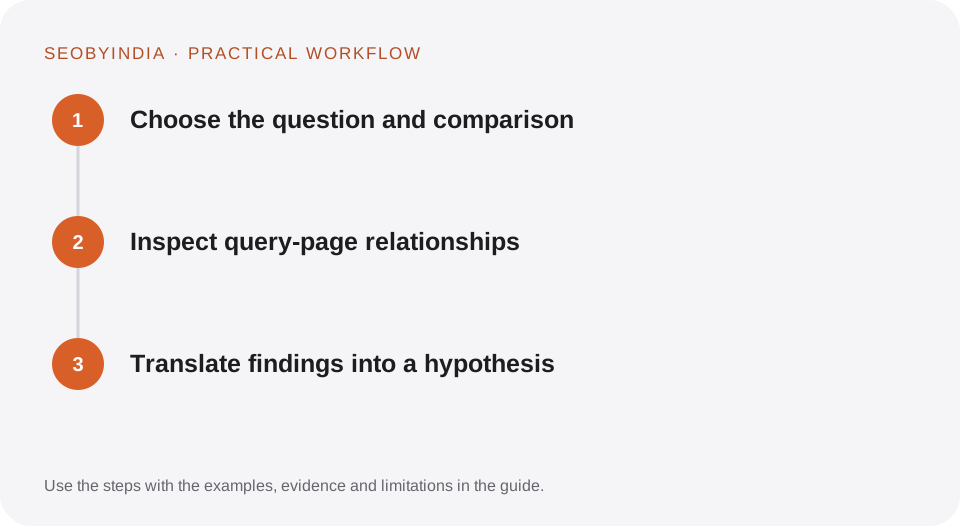
Work through the sequence below. Keep the evidence, the change you make and the acceptance check together so the next person can understand the decision.
Choose the question and comparison
Select a relevant page group, audience context and equivalent date windows. Note seasonality and major site changes. Keep brand and non-brand questions distinct when that helps interpretation.
Inspect query-page relationships
Look for the pages shown for important queries and whether they satisfy the intent. Identify irrelevant visibility, overlapping pages and unexpected landing-page shifts.
Translate findings into a hypothesis
Recommend a specific content, linking or technical change supported by the observed pattern. Retain the original comparison so the next review does not move the baseline.
Illustrative scenario
What this looks like in practice
A guide gains impressions for research questions while a service page remains steady for provider enquiries. The report treats those as two different outcomes rather than combining them into a single commercial growth claim.
This is a worked example, not a claim about a client campaign or a promised result.
Before you sign it off
Do not assume the report exposes every individual query or user journey. Do not equate average position with a universal live ranking.
Keep a useful decision record
- Purpose
- Write the customer task this change is meant to improve.
- Evidence
- Save the relevant page, source or observation and its date.
- Owner
- Identify who implements the change and who verifies it.
- Acceptance
- State what a correct result looks like before measuring its wider effect.
What to measure
Monitor relevant query groups, intended landing pages, clicks and impressions, and investigate changes with the report’s scope in mind.
Record the baseline and the observation window. If the measurement setup changes, annotate the report before comparing periods. Use the findings to choose the next useful improvement, rather than treating one encouraging result as proof of a permanent outcome.
Sources and further reading
These primary references provide platform guidance and context. The workflows and scenarios on this page are editorial explanations; a source link does not turn an example into a measured result.
Need help applying this?
Start with your website, target audience and the problem you want to solve. We can agree on the useful work, implementation responsibilities and reporting.
Explore the relevant serviceDiscuss the scope