
Understand the decision
Confusing the two causes avoidable mistakes. Blocking a page in robots.txt can prevent a crawler from seeing a noindex instruction. Authentication is the appropriate boundary for private information; crawler guidance is not an access-control system.
Decide whether the page should be publicly searchable, publicly available without indexing or private behind authentication. Write down that intention before changing crawler controls.
A practical workflow
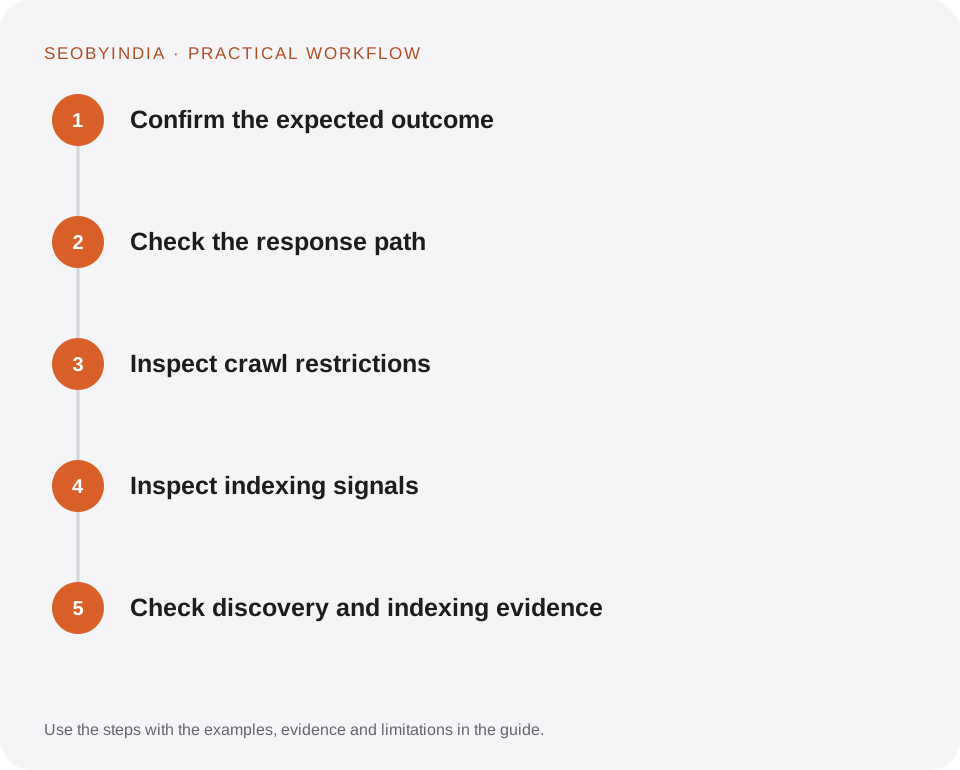
Work through the sequence below. Keep the evidence, the change you make and the acceptance check together so the next person can understand the decision.
Confirm the expected outcome
Decide whether the page should be publicly searchable, publicly available without indexing or private behind authentication. Write down that intention before changing crawler controls.
Check the response path
Follow redirects to the final destination and verify that it serves the intended page. Identify error responses and soft error pages that display a failure message while reporting a normal response.
Inspect crawl restrictions
Review robots.txt and hosting or CDN rules for the relevant crawler. A permissive robots rule cannot override a server that denies the request.
Inspect indexing signals
Check meta robots, X-Robots-Tag headers and canonical targets. Make sure the crawler can see the page and that the signals agree with its intended role.
Check discovery and indexing evidence
Link the page from appropriate public pages and include suitable canonical URLs in the sitemap. Use authorised webmaster tools to inspect the URL and monitor the actual outcome.
Illustrative scenario
What this looks like in practice
A downloadable checklist is public, while the customer account area is private. The checklist has a readable HTML companion and ordinary public links. The account area requires sign-in rather than relying on a disallow line.
This is a worked example, not a claim about a client campaign or a promised result.
Before you sign it off
Do not remove privacy controls to make a tool report green. Public search visibility applies to published business information, not private customer content.
Keep a useful decision record
- Purpose
- Write the customer task this change is meant to improve.
- Evidence
- Save the relevant page, source or observation and its date.
- Owner
- Identify who implements the change and who verifies it.
- Acceptance
- State what a correct result looks like before measuring its wider effect.
What to measure
Monitor intended indexable URLs, excluded URLs by reason and the discovery path for important pages. An eligible page may still not be indexed.
Record the baseline and the observation window. If the measurement setup changes, annotate the report before comparing periods. Use the findings to choose the next useful improvement, rather than treating one encouraging result as proof of a permanent outcome.
Sources and further reading
These primary references provide platform guidance and context. The workflows and scenarios on this page are editorial explanations; a source link does not turn an example into a measured result.
Need help applying this?
Start with your website, target audience and the problem you want to solve. We can agree on the useful work, implementation responsibilities and reporting.
Explore the relevant serviceDiscuss the scope