
Understand the decision
AI search access and model-training access can use different crawler controls. Decide them independently. Adding an allow rule for a search crawler should not silently change a separate preference about model training.
Identify wildcard groups and named crawler groups. Check whether a physical robots.txt file, WordPress or an SEO plugin owns the response. Editing a setting that does not own the actual file will not change the served rules.
A practical workflow
Work through the sequence below. Keep the evidence, the change you make and the acceptance check together so the next person can understand the decision.
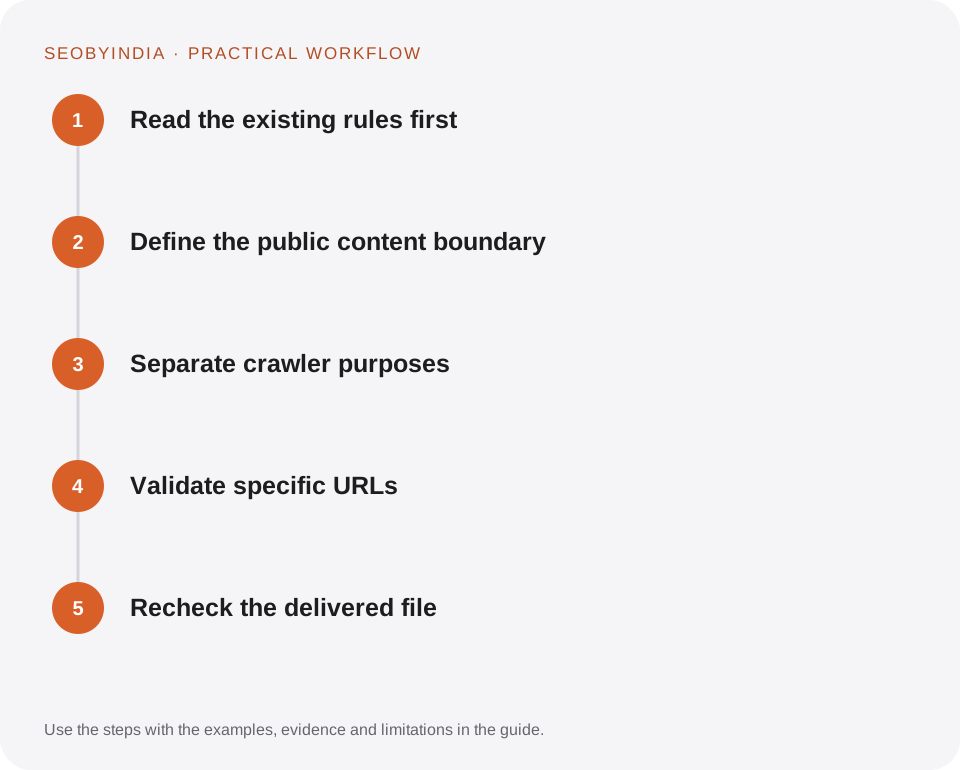
Read the existing rules first
Identify wildcard groups and named crawler groups. Check whether a physical robots.txt file, WordPress or an SEO plugin owns the response. Editing a setting that does not own the actual file will not change the served rules.
Define the public content boundary
List the public pages and assets required to understand them. Keep account, administrative and private areas protected with real authentication. Avoid a broad rule that blocks all CSS or useful public images.
Separate crawler purposes
Consult the official crawler documentation before choosing a user agent. For ChatGPT search, review OAI-SearchBot; for Claude search, review Claude-SearchBot. Do not assume a training crawler setting controls every product.
Validate specific URLs
Test the homepage, a nested guide, an image, a PDF and an admin URL against the relevant group. Check precedence and spelling carefully. Retain a copy of the previous file before a change.
Recheck the delivered file
Open the actual robots.txt response after deployment and inspect hosting restrictions separately. Crawler systems can take time to process updates. Record what changed and why.
Illustrative scenario
What this looks like in practice
A business wants its published tutorials eligible for AI search while keeping its separate training preference unchanged. The change addresses the named search crawler and preserves administrative exclusions; it does not replace the entire file with Allow: /.
This is a worked example, not a claim about a client campaign or a promised result.
Before you sign it off
A disallow rule is not a password. Never publish sensitive files and depend on robots.txt to hide them.
Keep a useful decision record
- Purpose
- Write the customer task this change is meant to improve.
- Evidence
- Save the relevant page, source or observation and its date.
- Owner
- Identify who implements the change and who verifies it.
- Acceptance
- State what a correct result looks like before measuring its wider effect.
What to measure
Record the actual served rules, tested sample URLs and any server-level access errors. Search appearances need separate observation.
Record the baseline and the observation window. If the measurement setup changes, annotate the report before comparing periods. Use the findings to choose the next useful improvement, rather than treating one encouraging result as proof of a permanent outcome.
Sources and further reading
These primary references provide platform guidance and context. The workflows and scenarios on this page are editorial explanations; a source link does not turn an example into a measured result.
Need help applying this?
Start with your website, target audience and the problem you want to solve. We can agree on the useful work, implementation responsibilities and reporting.
Explore the relevant serviceDiscuss the scope