
Understand the decision
The main risk is losing context: valuable content disappears, redirects lead to unrelated pages or conversion tracking no longer records the same action. Establish a baseline and an explicit mapping before release.
Keep content exports, current URL inventories, key page examples and recent performance information. Confirm that a usable rollback exists and distinguish a content export from a full server backup.
A practical workflow
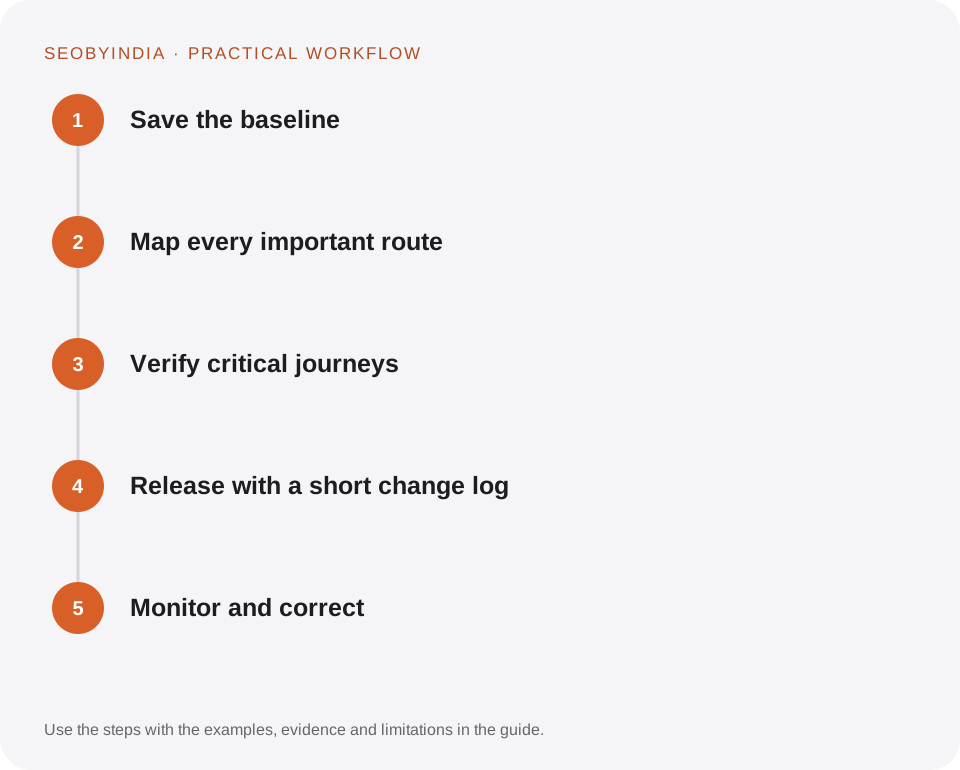
Work through the sequence below. Keep the evidence, the change you make and the acceptance check together so the next person can understand the decision.
Save the baseline
Keep content exports, current URL inventories, key page examples and recent performance information. Confirm that a usable rollback exists and distinguish a content export from a full server backup.
Map every important route
Give existing pages a retained URL, direct replacement or deliberate retirement decision. Include PDFs, images and other externally linked resources.
Verify critical journeys
Test navigation, reading, mobile menus, forms and downloads. Check accessibility and indexing signals on representative templates. Do not rely solely on a homepage screenshot.
Release with a short change log
Record what changed and when. Keep the previous theme or implementation available where practical. Avoid combining unrelated risky changes that make problems hard to diagnose.
Monitor and correct
Review errors, indexing coverage and qualified actions after launch. Investigate declines by page and query before assuming that every fluctuation is caused by the migration.
Illustrative scenario
What this looks like in practice
A WordPress refresh retains existing article URLs, updates the service pages in place and adds a new learning hub. The previous theme remains installed, affected page fields are snapshotted and the new sitemap includes the added resources.
This is a worked example, not a claim about a client campaign or a promised result.
Before you sign it off
A WordPress XML export contains content records, not a full copy of theme files, uploaded binary media and server configuration. Describe recovery coverage accurately.
Keep a useful decision record
- Purpose
- Write the customer task this change is meant to improve.
- Evidence
- Save the relevant page, source or observation and its date.
- Owner
- Identify who implements the change and who verifies it.
- Acceptance
- State what a correct result looks like before measuring its wider effect.
What to measure
Track retained important routes, post-launch errors and comparable business actions. Annotate the deployment in reporting.
Record the baseline and the observation window. If the measurement setup changes, annotate the report before comparing periods. Use the findings to choose the next useful improvement, rather than treating one encouraging result as proof of a permanent outcome.
Sources and further reading
These primary references provide platform guidance and context. The workflows and scenarios on this page are editorial explanations; a source link does not turn an example into a measured result.
Need help applying this?
Start with your website, target audience and the problem you want to solve. We can agree on the useful work, implementation responsibilities and reporting.
Explore the relevant serviceDiscuss the scope