
Understand the decision
Canonical errors often come from shared templates, tracking parameters or copied page settings. The most damaging cases point many distinct pages to one unrelated destination and make the site hierarchy ambiguous.
Choose the preferred scheme, hostname, path and parameter handling. Explain why a variant must remain live rather than treating every duplicate as a reason to keep another URL.
A practical workflow
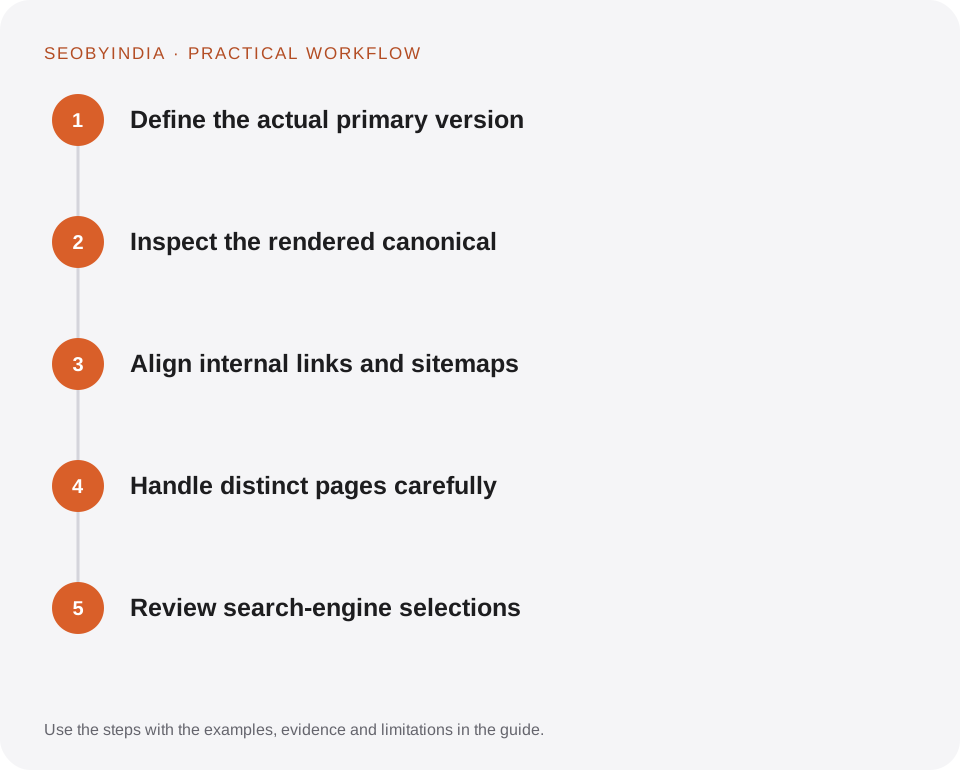
Work through the sequence below. Keep the evidence, the change you make and the acceptance check together so the next person can understand the decision.
Define the actual primary version
Choose the preferred scheme, hostname, path and parameter handling. Explain why a variant must remain live rather than treating every duplicate as a reason to keep another URL.
Inspect the rendered canonical
Look at the delivered head and any relevant response headers. Confirm that only the intended canonical is present. A field in an SEO editor is not proof of the final output.
Align internal links and sitemaps
Link to preferred destinations consistently. Put the canonical URL in the sitemap. Avoid asking one system to consolidate while navigation repeatedly promotes another version.
Handle distinct pages carefully
Give genuinely different service and guide pages their own primary URLs. Similar words in a title do not make pages duplicates when they solve different tasks.
Review search-engine selections
Use authorised inspection tools to compare declared and selected canonicals where available. Investigate conflicting redirects, content similarity and linking before changing rules again.
Illustrative scenario
What this looks like in practice
A campaign link adds a tracking parameter to a guide. The guide still identifies its clean URL as canonical, and navigation uses that clean destination. A permanently retired guide instead redirects to the closest useful replacement.
This is a worked example, not a claim about a client campaign or a promised result.
Before you sign it off
Do not canonicalise every weak page to the homepage. Improve, merge or retire content according to its real purpose.
Keep a useful decision record
- Purpose
- Write the customer task this change is meant to improve.
- Evidence
- Save the relevant page, source or observation and its date.
- Owner
- Identify who implements the change and who verifies it.
- Acceptance
- State what a correct result looks like before measuring its wider effect.
What to measure
Track duplicate groups, unintended canonical targets and important URLs selected differently by search engines.
Record the baseline and the observation window. If the measurement setup changes, annotate the report before comparing periods. Use the findings to choose the next useful improvement, rather than treating one encouraging result as proof of a permanent outcome.
Sources and further reading
These primary references provide platform guidance and context. The workflows and scenarios on this page are editorial explanations; a source link does not turn an example into a measured result.
Need help applying this?
Start with your website, target audience and the problem you want to solve. We can agree on the useful work, implementation responsibilities and reporting.
Explore the relevant serviceDiscuss the scope