
Understand the decision
A sitemap containing redirected, broken and intentionally noindexed pages sends an unclear inventory. Start with the content types that matter and let the CMS maintain the list when pages are published or materially updated.
Use one maintained sitemap system from WordPress or the SEO plugin. Confirm the actual sitemap index and child files. Avoid maintaining a second stale manual inventory.
A practical workflow
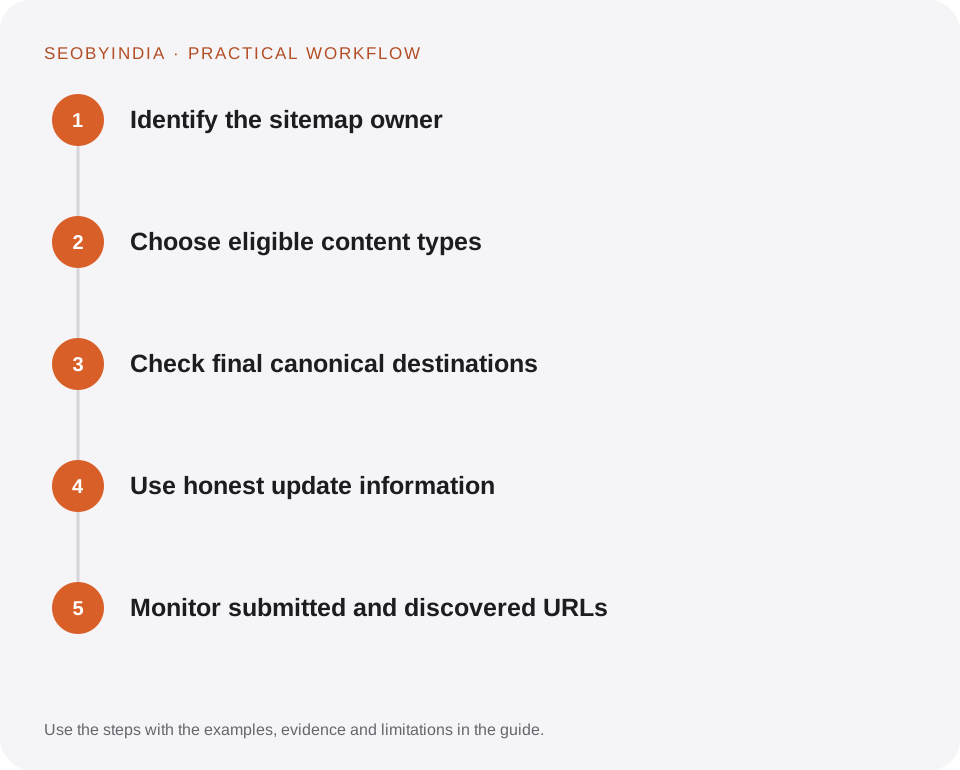
Work through the sequence below. Keep the evidence, the change you make and the acceptance check together so the next person can understand the decision.
Identify the sitemap owner
Use one maintained sitemap system from WordPress or the SEO plugin. Confirm the actual sitemap index and child files. Avoid maintaining a second stale manual inventory.
Choose eligible content types
Include useful public pages and posts. Evaluate tags, author archives and attachments according to their value. Excluding a URL from a sitemap does not itself prevent indexing.
Check final canonical destinations
Sample URLs for successful responses, indexability and a self-consistent canonical. Remove obsolete redirect sources and ensure important new pages appear.
Use honest update information
Only mark a page modified when its substantive content changes. Rewriting every lastmod value daily does not make the content more useful.
Monitor submitted and discovered URLs
Submit through an authorised webmaster account when available. Review processing errors and coverage trends. Keep the sitemap reachable through robots.txt or the standard documented location.
Illustrative scenario
What this looks like in practice
A resource library adds ten guides. Publishing them adds their canonical URLs to the page sitemap automatically. The PDF companions remain linked from their HTML pages, and the XML file does not list a separate URL for every download parameter.
This is a worked example, not a claim about a client campaign or a promised result.
Before you sign it off
Do not use sitemap priority values as a substitute for sensible navigation. A critical page should also have relevant internal links.
Keep a useful decision record
- Purpose
- Write the customer task this change is meant to improve.
- Evidence
- Save the relevant page, source or observation and its date.
- Owner
- Identify who implements the change and who verifies it.
- Acceptance
- State what a correct result looks like before measuring its wider effect.
What to measure
Track sitemap fetch success, eligible URL counts and coverage differences. Sitemap acceptance and page indexing are separate outcomes.
Record the baseline and the observation window. If the measurement setup changes, annotate the report before comparing periods. Use the findings to choose the next useful improvement, rather than treating one encouraging result as proof of a permanent outcome.
Sources and further reading
These primary references provide platform guidance and context. The workflows and scenarios on this page are editorial explanations; a source link does not turn an example into a measured result.
Need help applying this?
Start with your website, target audience and the problem you want to solve. We can agree on the useful work, implementation responsibilities and reporting.
Explore the relevant serviceDiscuss the scope