
Understand the decision
A decorative sculpture, a workflow diagram and a screenshot have different accessibility needs. Describe the information the image contributes in its actual context.
Decide what the reader should understand from it. Use an original illustration, clear diagram or appropriately authorised photograph. Label illustrative data and avoid images that imply nonexistent clients or facilities.
A practical workflow
Work through the sequence below. Keep the evidence, the change you make and the acceptance check together so the next person can understand the decision.
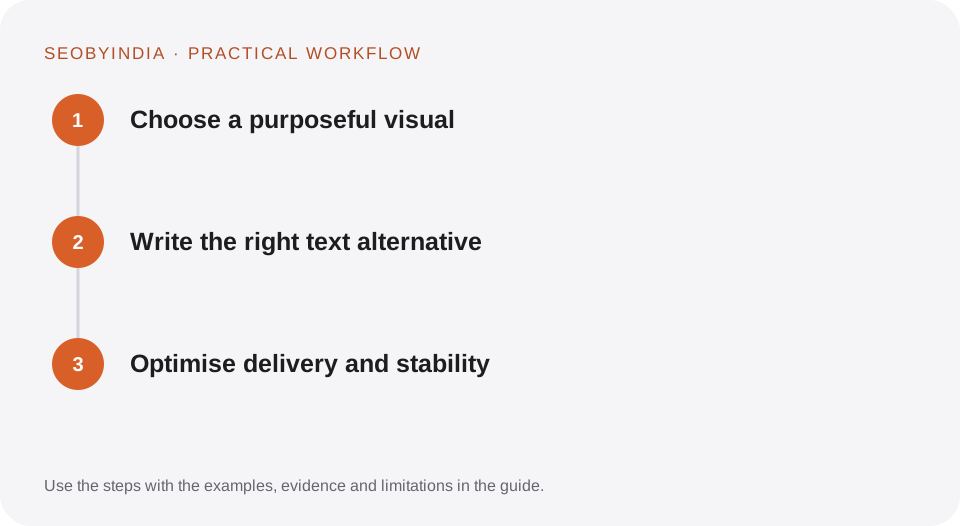
Choose a purposeful visual
Decide what the reader should understand from it. Use an original illustration, clear diagram or appropriately authorised photograph. Label illustrative data and avoid images that imply nonexistent clients or facilities.
Write the right text alternative
Describe meaningful content concisely. Use empty alt text for purely decorative images when the surrounding content already conveys the information. Explain complex diagrams in adjacent text.
Optimise delivery and stability
Use suitable dimensions, compressed formats and responsive sizing. Reserve space in the layout. Load the main visible image appropriately and defer lower-page images where helpful.
Illustrative scenario
What this looks like in practice
A canonical URL guide includes a diagram showing variants pointing to one primary destination. The surrounding text explains the same relationship, while the image has a concise descriptive alternative.
This is a worked example, not a claim about a client campaign or a promised result.
Before you sign it off
Do not put a full paragraph of target keywords in alt text. Do not use a huge hero file when a well-compressed image serves the same visual purpose.
Keep a useful decision record
- Purpose
- Write the customer task this change is meant to improve.
- Evidence
- Save the relevant page, source or observation and its date.
- Owner
- Identify who implements the change and who verifies it.
- Acceptance
- State what a correct result looks like before measuring its wider effect.
What to measure
Check image failures, meaningful alternatives, layout stability and performance on representative mobile pages.
Record the baseline and the observation window. If the measurement setup changes, annotate the report before comparing periods. Use the findings to choose the next useful improvement, rather than treating one encouraging result as proof of a permanent outcome.
Sources and further reading
These primary references provide platform guidance and context. The workflows and scenarios on this page are editorial explanations; a source link does not turn an example into a measured result.
Need help applying this?
Start with your website, target audience and the problem you want to solve. We can agree on the useful work, implementation responsibilities and reporting.
Explore the relevant serviceDiscuss the scope